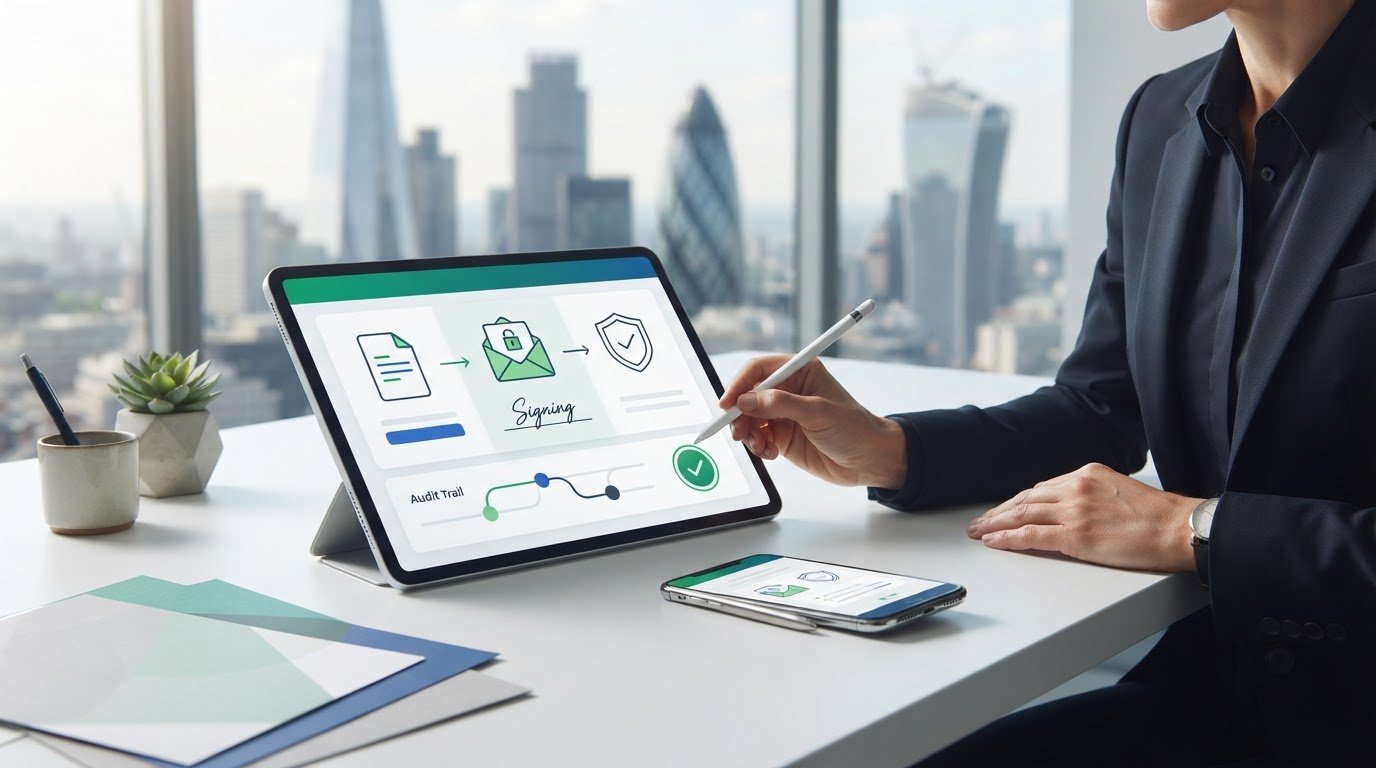
What if the signature button is the least important part of signing a Word document online? Choosing Word document e-signature software is really about keeping control of the file, making signing straightforward for everyone involved and retaining useful evidence of the process.
A quick workflow is useful, but it doesn’t answer every question about document handling, security or what happens after the final signature. And a long list of features won’t tell you which ones your business actually needs.
This guide compares the capabilities that matter when moving Word files through signing, from preparing and sending documents to managing signed versions and assessing encryption and audit trails. You’ll also learn how to weigh workflow fit and security evidence without treating a software feature as a guarantee of legal effect.
XignDoc provides an online workflow to prepare, send, sign and manage Word documents, with advanced encryption and audit trails. Use the criteria ahead to assess what suits your business and consider how a digital signing process could reduce reliance on printing, scanning and manual follow-up.
Why consider Word document e-signature software for business?
Word files often contain agreements, approvals and other important documents that need signing. A traditional process may involve printing a file, arranging a handwritten signature, scanning the pages, sending them back and following up with anyone who has not signed. Every hand-off adds administration and can make it harder to see where the document is in the process.
Word document e-signature software provides a digital workflow for preparing Word files, collecting signatures and managing the resulting documents. It is more than a signature image placed into a file: the software supports sending a document to signers and handling it through the signing process. An electronic signature can take different forms, so assess what the software does beyond displaying a mark on a page.
This guide focuses on evaluating software capabilities and matching them to business needs. It is not a how-to for inserting a signature into Word. The practical question is whether a tool can help your organisation move documents through signing and manage the outcome without unnecessary manual steps.
When does a Word-specific signing workflow help?
A digital process can be useful when contracts, agreements, approvals or other important business documents need signatures from people who are not in the same office. Signers can take part online rather than relying on printed copies and scanned pages, while the business can organise the process around its existing responsibilities.
The right fit depends on how often documents need signing, who needs to sign them and how your current process works. A team handling occasional forms may have different needs from one coordinating recurring agreements across departments. Start by noting where delays or repeated admin occur, such as preparing the same type of document or keeping track of outstanding signatures.
What should a buyer expect from the software?
Think of signing as a sequence of stages. Preparation gets the Word document ready to send; sending starts the request with the intended signers; signing is where they provide their signatures; and management covers handling the document and its status afterwards. Assess each stage against the work your team actually does.
Tools vary in depth. A basic option may focus on collecting signatures, while a broader platform may also support document administration or approval steps. These capabilities are not interchangeable: a signature request does not necessarily cover every approval or tracking need your business may have.
Consider how the software handles the Word files and processes your organisation uses. Check how documents are presented to signers, how the request is sent and how your team manages the result. A focused evaluation helps you identify essential requirements first, then compare additional capabilities against real business needs rather than a lengthy feature list.
What should Word document e-signature software do?
Good software should support a complete signing journey, not just provide a place to add a signature. A business prepares a Word document, sends it to the intended signers, collects their signatures and manages the completed result. Each stage matters: a smooth sending step is of little use if recipients cannot follow what they need to do or staff cannot organise the signed document afterwards.
Keep core signing separate from related workflow features. Approvals may help route a document for internal review; tracking can show progress; document administration helps teams manage files and outcomes. These capabilities can work together, but they solve different problems. Compare them against your actual process rather than assuming every e-signature tool includes the same features.
How should software handle Word documents?
Look at how a platform accepts and presents Word files to both the sender and each signer. The document needs to remain clear and readable throughout the process so recipients can understand what they are being asked to sign. Consider the experience on the devices your signers use and whether the steps are easy to follow without extra explanation.
File formats, document changes and completed copies can be handled differently across platforms. Assess the workflow using the types of Word documents your business sends, and observe how the file appears at each stage. This keeps your evaluation grounded in your needs rather than general feature descriptions.
Which workflow and evidence features matter?
Assess preparation, sending, signing and management as connected but distinct capabilities. Can the people responsible prepare a document for signing? Can they direct it to the right recipients? Is the signing experience straightforward, and can staff manage the outcome afterwards? These questions help reveal where the process may still depend on manual follow-up or separate file handling.
An audit trail is a record of activity associated with a document’s signing process. It can help a business review what happened, but it does not by itself establish legal validity. Encryption is another important security consideration when evaluating how a platform protects documents. For technical context, the NIST Digital Signature Standard (DSS) describes algorithms for digital signatures; this is background on the technology, not proof of a particular platform’s compliance or suitability.
XignDoc’s online platform uses advanced encryption and audit trails. Assess these features alongside your organisation’s document workflow and security requirements.
When should teams explore a dedicated platform?
If contracts, agreements or approval documents recur in your work, a dedicated platform can provide a structured online route compared with email chains and paper hand-offs. Consider whether staff can manage each document’s journey without scattered attachments, manual reminders or uncertainty about which copy is complete. The value comes from choosing a workflow that fits your document volume, signer needs and existing responsibilities.
For a closer look at the workflow, explore XignDoc’s Word document signing platform.
How does dedicated Word signing software compare with manual options?
The difference is not simply whether a signature can be collected. It is also how your business handles the document around it. Printing and scanning may suit an occasional request. For repeat signing, an online process can bring document preparation, signature collection and management into a more structured workflow. The right choice depends on document frequency, process complexity and internal requirements.
Use this category-level comparison to identify where effort and administration sit. Specific features vary between products, so treat evidence and security as points to assess rather than assumptions.
When might manual signing be enough?
For a document that needs signing only occasionally, a familiar print-and-scan process may remain workable. It can be reasonable where there are few signers and staff can manage the return and filing steps without disrupting other work. It is not inherently invalid or unsuitable. The trade-off is coordination: someone must print, send or hand over, scan, return and file the document.
What changes with dedicated e-signature software?
Dedicated software can bring preparation, signature collection and document management together online, reducing reliance on paper hand-offs and scattered email attachments. Compare the actual workflow, not just the label: feature availability and depth differ between products. Check whether an audit trail records relevant signing activity and whether encryption is part of the platform’s security approach. Neither feature alone guarantees legal effect.
For recurring Word document signing, Word document e-signature software is worth comparing against the time and coordination your current process requires. Choose an approach that meets your organisation’s needs without adding unnecessary complexity for senders or signers.
When might manual signing be enough?
For a document that needs signing only occasionally, a familiar print-and-scan process may remain workable. It can be reasonable where there are few signers and staff can manage the return and filing steps without disrupting other work. It is not inherently invalid or unsuitable. The trade-off is coordination: someone must print, send or hand over, scan, return and file the document.
What changes with dedicated e-signature software?
Dedicated software can bring preparation, signature collection and document management together online, reducing reliance on paper hand-offs and scattered email attachments. Compare the actual workflow, not just the label: feature availability and depth differ between products. Check whether an audit trail records relevant signing activity and whether encryption is part of the platform’s security approach. Neither feature alone guarantees legal effect.
For recurring Word document signing, Word document e-signature software is worth comparing against the time and coordination your current process requires. Choose an approach that meets your organisation’s needs without adding unnecessary complexity for senders or signers.

How can you evaluate Word document e-signature software?
A focused evaluation starts with your real documents and the people who handle them, not a platform’s longest feature list. Write down what must work, then separate essential requirements from optional extras. This makes it easier to compare tools against your actual Word-document workflows and identify where security, evidence or process fit needs closer attention.
Check document handling, signer experience, workflow fit, security, audit evidence and relevant compliance expectations, without treating any single feature as a legal guarantee.
- Map document types. List the Word files you expect to send, such as contracts, agreements, approvals or other important documents. Note which processes they support and whether different document types follow different internal steps.
- Identify signer needs. Record who prepares, sends, signs and manages each document. Consider the recipients’ familiarity with digital signing and what would make the process clear and straightforward for them.
- Outline workflow steps. Describe what happens from preparation through to management of the completed document. Mark any approval stages, hand-offs or follow-up tasks your team needs the platform to accommodate.
- Set evidence and security requirements. Decide what signing activity your organisation needs to be able to review, and include encryption and audit trails in your assessment. Consider your data-protection and compliance expectations for the documents you handle.
- Assess software fit. Compare platforms against the essential requirements first. Treat extra features as secondary unless they solve a specific process need or remove a real point of friction.
Start with document and signer requirements
Make the workflow tangible. For a recurring agreement, identify the person who prepares the Word file, the staff member who sends it, each signer and the person responsible for the completed document. Note where signers may need clear instructions or a straightforward way to review the file. This map gives your team a practical benchmark for comparing software.
Assess security, evidence and organisational fit
Review how encryption supports secure handling and how an audit trail can provide a record of document activity. Then consider whether the platform fits your existing approval and document-management processes rather than creating parallel admin. A software platform’s capabilities are not legal advice, and a security feature or audit record does not by itself confirm that a signature has a particular legal effect.
Use a trial to test real workflows
Use XignDoc’s free trial to test representative Word-document workflows with the people who would use them. Try the preparation, sending, signing and document-management stages, and note where users need help or extra workarounds. Compare what you observe with your essential requirements, not the number of features on a product page. A realistic test helps reveal practical fit before you settle on a process.
Explore the workflow through XignDoc’s free trial, and assess how it handles preparing, sending, signing and managing Word documents.
How does XignDoc support signing Word documents online?
XignDoc provides an online platform for preparing, sending, signing and managing Word documents. It brings these stages into one workflow, helping businesses handle important files without treating signature collection as separate from document administration. This makes it relevant for organisations comparing Word document e-signature software with their current process, whether they are moving an individual agreement or handling recurring signing needs.
Which business signing needs can XignDoc support?
Businesses can use XignDoc to manage the signing of contracts, agreements, approvals and other important documents. A team can prepare a Word document, send it for signatures, collect those signatures online and manage the document afterwards. Keeping these stages connected gives staff a consistent process for handling a document from preparation through to completion.
The practical fit depends on how your organisation handles documents. Consider who prepares and sends each file, who needs to sign and how your team manages the completed document. An online workflow can reduce reliance on scattered email attachments and manual hand-offs, while helping staff follow a consistent process. It is a practical option for businesses bringing Word-document signing into day-to-day operations.
What security and compliance points can buyers assess?
XignDoc uses advanced encryption and audit trails. These are relevant factors when assessing how a platform supports secure document handling and provides a record of signing activity. Review them alongside your own data-protection expectations and the information your documents contain. An audit trail can help record activity, but it does not by itself establish the legal effect of a signature or transaction.
The platform is designed to comply with UK and global electronic-signature laws. That design intent is useful context when comparing software, but no platform feature alone means every document or transaction will be legally enforceable. Requirements can depend on the circumstances and the document involved. This guide explains software capabilities, not legal advice, so organisations with specific legal questions should seek appropriate professional guidance.
What is a practical next step?
Put your evaluation criteria into practice with documents and workflows that reflect your organisation’s needs. Consider whether preparation, sending, signing and management work for the people involved, and whether the platform’s security and evidence features align with your requirements. XignDoc offers a free trial so you can explore its online Word-document workflow.
To see how the process could fit your business, explore XignDoc and start your free trial.
Make your next signing workflow a practical test
Choose a representative Word document and use it to assess how a digital signing process fits your team. The right Word document e-signature software should work for the people who prepare and manage files as well as those asked to sign them. A focused trial can help you judge that fit using your own steps, rather than relying on a feature list alone.
As you explore XignDoc, consider how its online workflow supports your process and review its encryption and audit trails against your organisation’s security and record-keeping needs. XignDoc is designed to comply with UK and global electronic-signature laws, but software features alone cannot guarantee the legal effect of every document or transaction.
Start with XignDoc’s free trial to test the workflow against your business’s needs.
Frequently Asked Questions
Is an electronic signature on a Word document legally binding in the UK?
Electronic signatures can be legally recognised in the UK, but whether a particular signature has legal effect depends on the document, circumstances and applicable requirements. A routine internal approval and a transaction with specific formal requirements may need different consideration. Signing software can help run the process and keep records, but it cannot make every document enforceable. This is general information, not legal advice; seek appropriate guidance for a specific transaction.
Can someone sign a Word document on a mobile device?
Whether a recipient can sign using a phone or tablet depends on the platform. Test the full journey on the device your signers commonly use: open the invitation, read the document, find the signature action and complete it. Check that the text remains legible without awkward zooming and that the signer can review the document before finishing. Do not assume a desktop-friendly process will work just as well on a smaller screen.
Can multiple people sign the same Word document electronically?
Some software supports workflows with multiple signers, though routing options and controls differ. For a supplier agreement, one person might need to sign before it goes to the next, or several people might need to sign independently. Define the intended order, identify who monitors completion and test the route with a representative document. This helps uncover hand-offs or unclear responsibilities before the process becomes routine.
What happens to the Word file after it has been signed online?
This depends on the platform. Before adopting it, establish what file or record is available after completion, how authorised staff retrieve it and where it belongs in your records. For example, decide whether your team needs a clearly identified signed record alongside the working document or in a separate filing location. Do not assume the editable Word original and signed record are the same file or follow the same retention process.
Does a recipient need Microsoft Word to sign a Word document online?
Not necessarily. Some platforms let recipients complete signing through a browser, but access steps depend on how the service presents the document and collects signatures. Test with someone who does not have Word installed, using a device and browser they would actually use. Check that they can review the full contents and understand what to do next. This is a useful step when comparing Word document e-signature software for external signers.
How can a business reduce the risk of changes after a Word document is signed?
Reduce risk through layered controls rather than relying on one feature. Assess whether the workflow records signing activity, whether encryption supports secure handling and how your organisation restricts, retains and retrieves completed records. For example, decide who can access a signed agreement and how staff distinguish it from a draft. An audit trail can document activity, but it cannot alone prevent every change or guarantee legal validity.

Comments
Post a Comment